Member Portal Overview & Profile
The Member Portal on the CoopPilot Dashboard provides cooperative co-owners with transparent access to their shareholdings, democratic assembly voting, document downloads, and official announcements.
1. Overview Dashboard
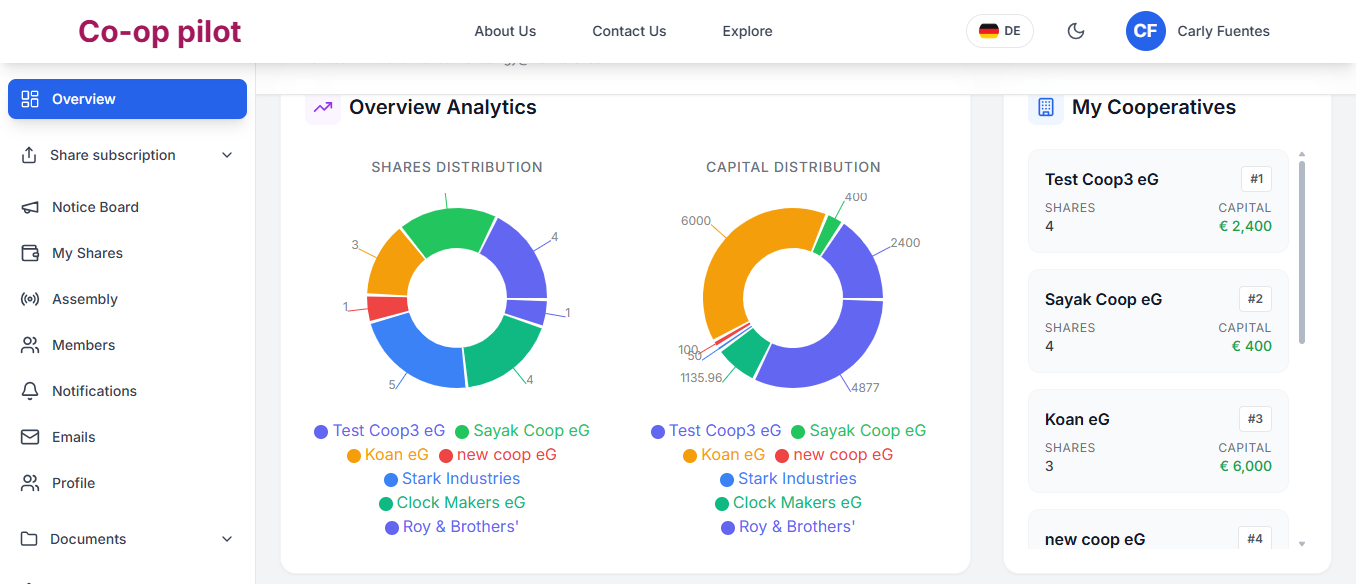
Upon signing into the Member Portal on the CoopPilot Dashboard , the main view displays:
- Shareholdings Summary: Current active shares count and total investment value (€).
- Membership Status: Account status (Active, Pending Verification, Pending Exit / Kündigung).
- Upcoming Assembly Banner: Countdown and RSVP options for scheduled General Assemblies.
- Recent Announcements: Latest posts from the cooperative Notice Board.
2. Onboarding Tab
New members track their onboarding progress under Onboarding:
- Step 1: Contact & Address Verification: Verify personal contact details and physical address.
- Step 2: KYC Identity Submission: Upload clear copy of official photo ID.
- Step 3: Membership Agreement Signature: Digitally sign membership application.
- Step 4: Initial Share Payment: View SEPA transfer instructions or complete digital payment.
3. Notifications Center
Members receive real-time alerts under the Notifications bell:
- Assembly Invitations: Notification when a new General Assembly is scheduled.
- Vote Reminders: Alerts prior to polling deadlines.
- New Shared Documents: Alerts when a new tax statement or assembly document is shared with you.
- Share Subscription Updates: Confirmation when requested shares are approved and credited.
4. Profile & Security Settings
Manage personal profile settings under Profile:
- Update residential address and contact phone number.
- Manage bank account IBAN for receiving dividend payouts.
- Enable Two-Factor Authentication (2FA) for account security.