Coop-Admin Workspace & Onboarding
The Coop-Admin workspace on the CoopPilot Dashboard equips cooperative boards and administrative staff with comprehensive tools for governance, member management, financial ledgers, and audit readiness.
1. Admin Onboarding
Upon initial registration, new cooperative administrators go through a guided setup wizard:
- Organization Profile Setup: Configure official Cooperative Name, Commercial Register Number (Handelsregisternummer or Genossenschaftsregister ID), tax ID, and registered business address.
- Statutes & Rules Import: Upload the cooperative statutes (Satzung) and set nominal share values (€ per share).
- Board Designation: Assign initial Board Members (Vorstand) and Supervisory Board Members (Aufsichtsrat).
2. Member Onboarding Workflow
Coop-Admins manage incoming membership applications seamlessly:
- Reviewing Registrations: Inspect submitted member applications under Onboarding > Pending Applications.
- Identity Verification (KYC): Verify submitted government ID copies, residence address data, and contact info.
- Board Approval: Click Approve Membership to formally admit the member pursuant to §15a GenG.
- Subscription Notification: The system issues an automated welcome notification containing invoice details for the initial share subscription.
3. Overview Dashboard & Key Performance Indicators (KPIs)
The central CoopPilot Dashboard provides real-time oversight of cooperative operations:
- Total Subscribed Capital: Total value (€) of active cooperative shares.
- Active Member Count: Total headcount of verified cooperative members.
- Pending Onboarding Queue: Count of applications awaiting board approval or KYC verification.
- Upcoming Assemblies: Countdown and status for scheduled General Assemblies.
- Audit Pipeline Status: Current phase status in recurring or founding audits.
4. Notifications Engine
The real-time notifications engine keeps administrators informed across key operational triggers:
- New Member Applications: Immediate alert when a prospective member submits onboarding files.
- Share Subscription Payments: Notifications when members complete bank transfers or digital payments.
- Assembly Voting Milestones: Live alerts as quorum targets are met during General Assembly polls.
- Audit Discrepancy Tickets: Instant alerts when auditors log discrepancy tickets requiring board action.
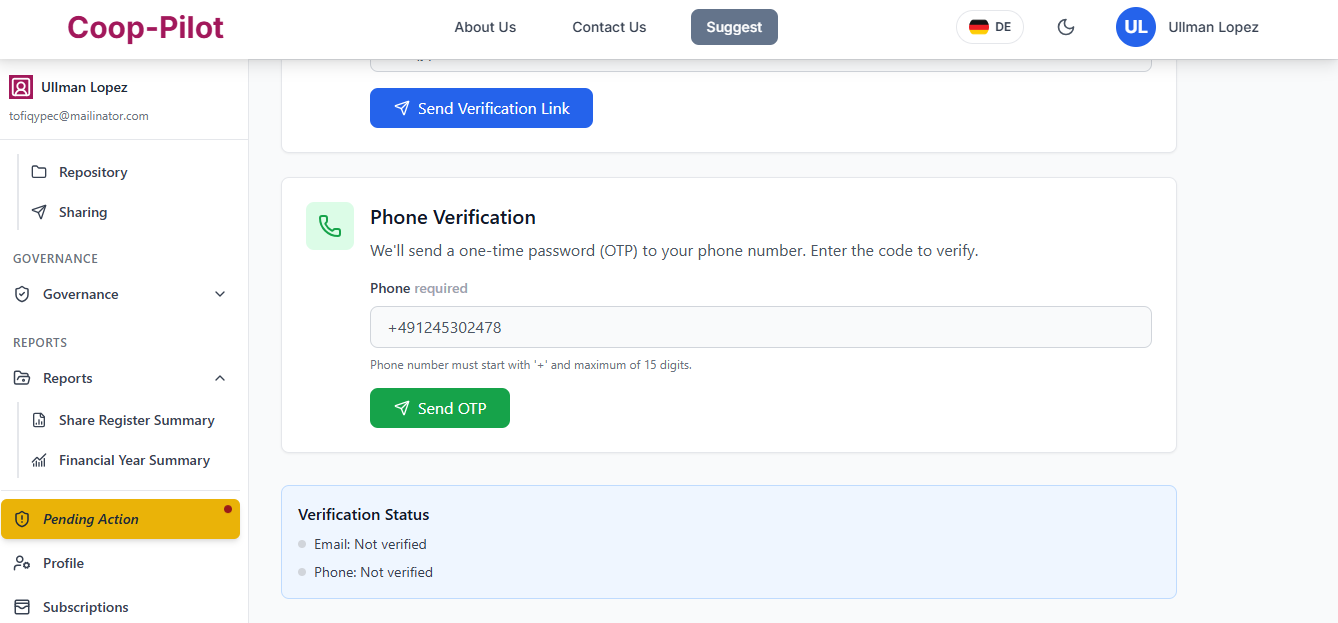
5. Email and Phone number Verification
The Vostand of a cooporative have to Verify the Email and Phone number of his/her account. To do so:
- Go to the dashboard.
- Click on side panel go to Pending Verification. If the icon is not visible to you then you have your account verified